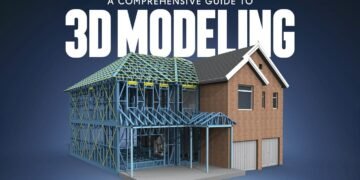











Why 3D Modeling Matters
In today’s digital age, 3D Modeling has become a cornerstone of creative industries, from gaming and animation to product design and architecture. Imagine being able to bring your ideas to life in three dimensions, visualizing every detail before it exists in the real world. That’s the power of 3D modeling—it turns imagination into tangible, visual reality.
But mastering 3D modeling isn’t just about knowing software; it’s about mastering techniques that help you craft professional, realistic, and efficient models. In this guide, we’ll explore 7 amazing 3D modeling techniques you must try, complete with examples, practical tips, and insights to improve your workflow.
Whether you’re a beginner or a professional designer, these methods will expand your toolkit and make your projects stand out.
1. Polygonal Modeling
Polygonal modeling is one of the most widely used 3D modeling techniques. It involves building objects using polygons—typically quads or triangles—and manipulating them to form complex shapes.
How It Works
- Start with a basic primitive shape such as a cube, sphere, or cylinder.
- Adjust vertices, edges, and faces to sculpt your object.
- Use modifiers like extrude, bevel, and subdivide to refine the model.
Example: Game developers rely heavily on polygonal modeling for characters, props, and environments, balancing detail with computational efficiency.
Tips for Success
- Maintain clean topology to avoid rendering issues.
- Use reference images for accurate proportions.
- Optimize the polygon count to ensure smooth performance.
2. Digital Sculpting
Sculpting allows artists to add intricate details, creating organic models that feel lifelike. It’s similar to working with clay in a virtual space.
Advantages of Sculpting
- High-resolution meshes enable fine details.
- Supports brushes, symmetry, and masks for precision.
- Ideal for characters, creatures, and complex surfaces.
Example: Animation studios often sculpt characters in ZBrush or Blender before retopologizing for animation-ready models.
Sculpting Tips
- Start with a low-poly base mesh to save resources.
- Focus on primary shapes first, then add secondary and tertiary details.
- Rotate your model often to ensure proportion and symmetry.
3. NURBS Modeling
NURBS (Non-Uniform Rational B-Splines) is a 3D modeling technique used to create smooth, mathematically precise surfaces. It’s perfect for automotive, product, and industrial design.
How NURBS Works
- Uses curves to define surfaces rather than polygons.
- Produces clean, smooth forms ideal for precision work.
- Offers trimming and filleting options for complex shapes.
Example: Car designers use NURBS modeling to craft body panels and aerodynamic curves with extreme accuracy.
Tips for NURBS Modeling
- Practice curve creation and control—accuracy is key.
- Combine NURBS with polygonal methods for hybrid designs.
- Regularly check continuity to prevent visual artifacts.
4. Procedural Modeling
Procedural modeling leverages rules and algorithms to create models, often used for landscapes, cities, and repetitive structures.
Advantages
- Generates large-scale environments quickly.
- Easy to tweak parameters for variations.
- Integrates seamlessly with game engines and simulations.
Example: Video game developers use procedural modeling to populate open-world maps with trees, buildings, and terrain efficiently.
Tips for Procedural Modeling
- Start with simple rules, then layer complexity gradually.
- Learn node-based or scripting approaches for advanced control.
- Test at different scales to ensure realism.
5. Retopology
Retopology is the process of rebuilding a model’s mesh for better animation, performance, or rendering.
Why Retopology Is Important
- Reduces polygon count while maintaining detail.
- Improves deformation for animation.
- Prevents rendering errors in high-poly models.
Example: High-resolution sculpted characters are retopologized before being rigged for films or games.
Retopology Tips
- Focus on edge flow near joints and deformable areas.
- Use quads over triangles for better shading.
- Refine automatic retopology tools manually for critical sections.
6. UV Mapping and Texturing
UV mapping prepares a 3D model for textures by flattening its surface into 2D coordinates. Without UVs, even the most detailed model looks incomplete.
How It Works
- Unwrap the 3D model to create a 2D layout.
- Apply textures, bump maps, and normal maps for realism.
- Optimize UV seams to avoid stretching or distortion.
Example: Product designers apply logos, decals, and textures accurately on virtual prototypes using UV mapping.
UV Mapping Tips
- Maintain proportional UV islands to prevent texture distortion.
- Use high-resolution textures for detailed renders.
- Experiment with procedural textures to save time and create variation.
7. Motion Capture Integration
Combining 3D modeling with motion capture allows characters to move realistically in animation and gaming.
How Motion Capture Works
- Sensors record real-world movement.
- Data is applied to 3D rigs for lifelike animation.
- Movements are refined manually to enhance fluidity.
Example: Game studios capture actors’ movements to create realistic character animations in blockbuster titles.
Tips for Motion Capture
- Clean raw data to remove noise.
- Match the skeleton structure with the 3D model.
- Combine mocap with keyframe animation for optimal results.
Table: Summary of 3D Modeling Techniques
| Technique | Ideal Use Case | Key Advantage |
|---|---|---|
| Polygonal Modeling | Games, props, characters | Versatile, efficient |
| Digital Sculpting | Characters, creatures | High detail, artistic freedom |
| NURBS Modeling | Automotive, industrial design | Smooth, precise surfaces |
| Procedural Modeling | Environments, landscapes | Fast, scalable, parameter-driven |
| Retopology | Animation-ready models | Optimized, clean topology |
| UV Mapping & Texturing | Realistic renders, product design | Accurate texture application |
| Motion Capture Integration | Animation, games, films | Realistic movement |
Key Takeaways
Mastering 3D modeling requires practice, creativity, and understanding multiple techniques. From polygonal modeling to motion capture, each method offers unique advantages. Experimenting with these seven techniques will help you create more efficient, visually stunning, and professional-quality 3D models.
Consistency, curiosity, and blending techniques are key to developing a signature style. Whether you’re designing for games, animation, or product visualization, these methods form the foundation of professional-level 3D work.
Conclusion: Elevate Your 3D Modeling Skills
3D Modeling is more than a technical skill—it’s a way to bring imagination into tangible, digital reality. By mastering these seven techniques, you can enhance your workflow, produce higher-quality models, and create visually compelling projects. Start experimenting today, combine techniques, and elevate your 3D modeling game to new heights. Share this article with fellow designers to inspire innovation and creativity in the world of 3D modeling.