











Can You See Who Shared Your Instagram Post? Explained
Instagram has become more than a photo-sharing app. It is a place where creators build brands, businesses track engagement, and everyday users measure their online presence. One question comes up again and again, especially after a post suddenly gets more reach than usual: can you see who shared your Instagram post?
If you have ever opened your insights, noticed a spike in shares, and wondered who exactly passed your content along, you are not alone. This topic creates confusion because Instagram gives partial data, not the full picture. In this guide, we will walk through how Instagram sharing actually works, what you can and cannot see, and how to use the available information wisely.
This article is written in a clear, human way. No jargon overload. Just honest explanations, practical examples, and realistic expectations based on how Instagram functions today.
Understanding How Instagram Post Sharing Works
Before answering whether Can You See Who Shared Your Instagram Post it helps to understand what “sharing” really means on Instagram. Sharing is not one single action. It happens in multiple ways, and each method gives different visibility.
Common Ways Instagram Posts Are Shared
Instagram users can share content through several channels, including:
- Sharing a post to their Instagram Story
- Sending a post via direct message
- Copying a post link and sharing it outside Instagram
- Saving the post for later viewing
- Sharing a Reel through Instagram’s built-in share options
Each of these actions affects your reach differently, and more importantly, each one reveals a different level of data to the original poster.
Can You See Who Shared Your Instagram Post to Stories?
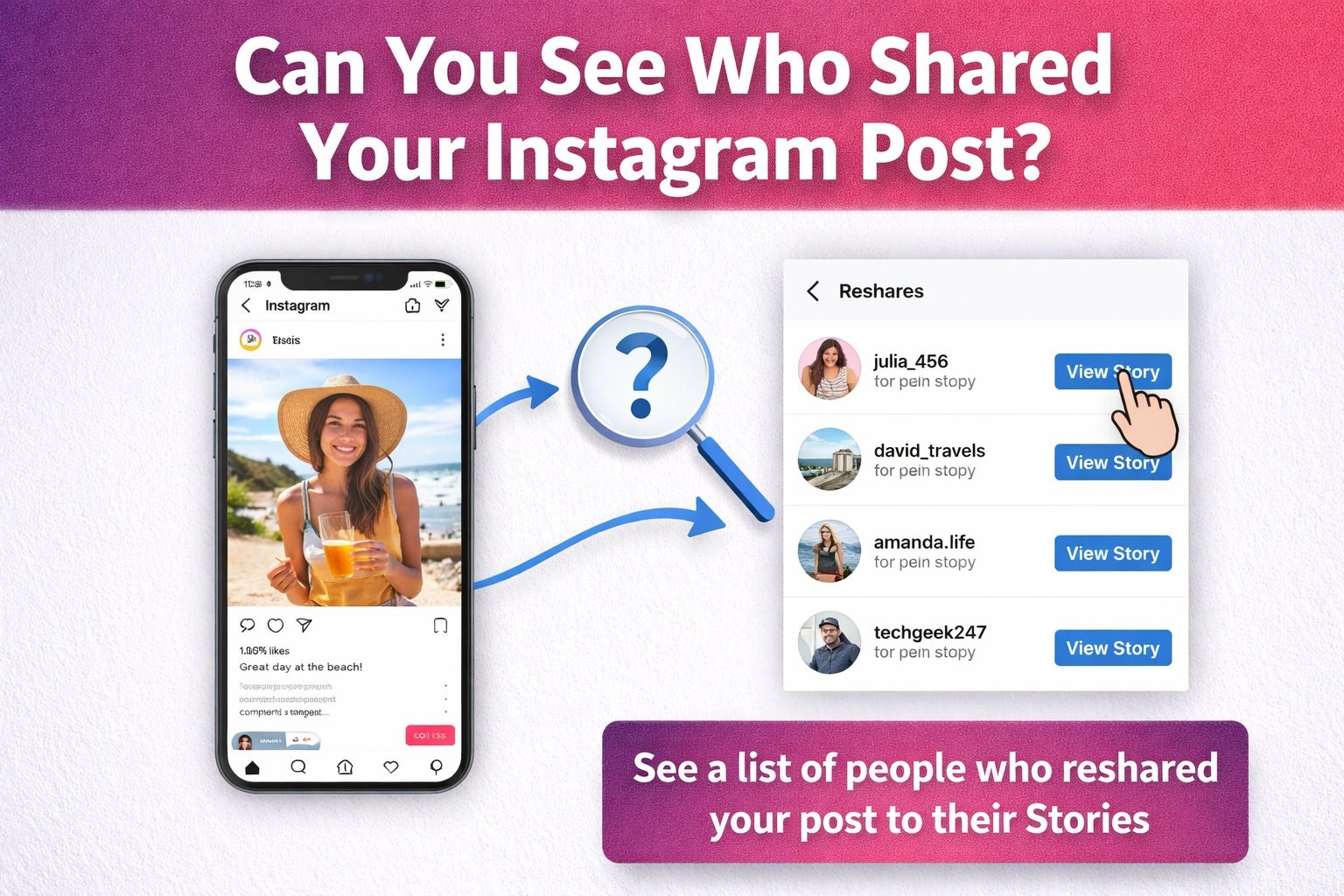
This is the most straightforward case. If someone shares your post to their Story and their account is public, Instagram does allow limited visibility.
What You Can See
If your post is shared to a Story:
- You may receive a notification
- You can tap on your post, view insights, and see the number of Story shares
- If the Story is active, you can sometimes tap “View Story Reshares” to see usernames
However, this only works under specific conditions. The account must be public, the Story must still be live, and Instagram must surface that data before the Story expires.
What You Cannot See
You cannot see:
- Story reshares from private accounts
- Past Story shares after the 24-hour window closes
- Any identity details once the Story disappears
So while this is the clearest sharing method, it still has limits.
Can You See Who Shared Your Instagram Post via Direct Message?
This is where most people feel disappointed. When users send your post through DMs, Instagram treats this as private communication.
If you are asking can you see who shared your Instagram post through direct messages, the answer is no.
Why Instagram Hides This Information
Instagram prioritizes user privacy. Direct messages are private by design. Even if your post is shared thousands of times in DMs, you will only see the total number of shares in Insights, not the usernames or conversations.
This applies to:
- One-on-one messages
- Group chats
- Business and personal accounts alike
You see the impact, but not the individuals.
Instagram Insights Explained in Simple Terms
Instagram Insights is the tool that answers most questions about performance. It gives creators valuable data, but it does not tell the whole story.
What Instagram Insights Shows
With a professional or creator account, you can see:
- Total shares
- Saves
- Likes
- Comments
- Reach
- Profile visits
- Follower vs non-follower engagement
The “Shares” metric counts how many times your post was shared through any method, including Stories and DMs.
What Instagram Insights Does Not Show
Insights do not reveal:
- Who shared the post
- Where it was shared privately
- External platforms where links were copied
- Screenshots or reposts outside Instagram
This is why many users see high share counts but no visible reshares.
Can You See Who Shared Your Instagram Post If You Have a Business Account?
Switching to a business account unlocks more analytics, but it does not change Instagram’s privacy rules.
A business account allows you to:
- Access detailed engagement data
- Track audience demographics
- Measure content performance trends
However, even with a business profile, you still cannot see who shared your Instagram post via DMs or private Stories.
Business tools improve understanding, not surveillance.
The Difference Between Public and Private Accounts
Account privacy plays a major role in what you can see.
Public Accounts
If your account is public:
- Anyone can share your post
- You may see public Story reshares
- You gain broader reach and discoverability
Private Accounts
If your account is private:
- Only followers can share your post
- Story shares are more restricted
- Visibility into reshares is even more limited
This means creators who rely on viral sharing usually keep their accounts public to maximize exposure.
Why Instagram Does Not Show Full Sharing Details
Many users think Instagram hides data intentionally. In reality, the reasons are practical and ethical.
Privacy Protection
Instagram protects user behavior. Showing who shares content privately would discourage natural engagement and violate trust.
Platform Simplicity
Too much data can overwhelm users. Instagram focuses on trends rather than individual actions.
Preventing Harassment
If users could see exactly who shared content, it could lead to harassment, pressure, or misuse of information.
Understanding these reasons helps set realistic expectations.
How Creators Can Still Benefit From Shares Without Names
Even if you cannot see who shared your Instagram post, shares still matter more than likes in many cases.
Why Shares Are So Powerful
Shares:
- Increase reach organically
- Push content into new networks
- Signal high-value content to the algorithm
- Improve chances of appearing on Explore
Instagram treats shares as strong engagement signals. This means your content gains momentum even without visible attribution.
Ways to Encourage More Shares on Instagram
Instead of focusing on who shared your content, smart creators focus on why people share.
Share-Worthy Content Ideas
Content that gets shared often includes:
- Relatable humor
- Educational tips
- Emotional storytelling
- Short tutorials
- Bold opinions
- Saveable checklists
- Trending audio with value
When your content solves a problem or sparks emotion, sharing happens naturally.
Captions That Prompt Sharing
Try phrases like:
- “Send this to someone who needs it”
- “Share this with a friend”
- “Save this for later”
- “This helped me, maybe it helps you too”
These subtle prompts increase share counts without feeling forced.
Third-Party Apps and the Sharing Myth
Many apps claim they can show who shared your Instagram post. This is misleading and risky.
Why These Apps Do Not Work
Instagram does not provide this data through its API. Any app promising usernames is either guessing or violating terms.
Risks of Using Third-Party Tools
Using these tools can lead to:
- Account suspension
- Data theft
- Password compromise
- Loss of account credibility
If an app promises full sharing visibility, it is not trustworthy.
Can You See Who Shared Your Instagram Reel?
Reels follow the same rules as posts.
You can see:
- Total shares
- Reach and engagement
- Performance trends
- You cannot see:
- Individual users who shared privately
- Group message shares
- External reposts
The question can you see who shared your Instagram post applies equally to Reels, carousels, and photos.
Common Misunderstandings About Instagram Sharing
Let’s clear up a few myths that confuse users.
Myth One: High Shares Mean Public Reshares
Many shares happen in DMs. A high number does not guarantee visible reposts.
Myth Two: Influencers Can See Everything
Even large creators face the same limitations. Fame does not unlock hidden data.
Myth Three: Updates Will Fix This
Instagram has not indicated plans to reveal private share identities. Privacy remains a priority.
How Brands Measure Share Impact Without Names
Brands and marketers work around this limitation using strategy rather than surveillance.
Smart Metrics to Track
Instead of focusing on who shared, track:
- Follower growth after posts
- Profile visits
- Website clicks
- Story mentions
- Engagement rate changes
These metrics show the effect of sharing without exposing individuals.
Psychological Side of Wanting to Know Who Shared
It is natural to be curious. Sharing feels personal. When someone shares your post, it means your content mattered to them.
However, obsessing over identities can distract from growth. Focus on patterns, not people.
When you shift your mindset, the lack of names becomes less frustrating.
Can You See Who Shared Your Instagram Post in the Future?
Instagram constantly evolves, but privacy laws and user trust make this unlikely.
Future updates may improve:
- Share analytics
- Performance insights
- Content discovery data
However, revealing private sharing identities would conflict with platform values.
Final Thoughts on Instagram Post Sharing
So, can you see who shared your Instagram post? The honest answer is sometimes, but mostly no.
You can see:
Public Story reshares in limited cases
Total share counts through Insights
Performance impact through analytics
You cannot see:
- Who shared your post in DMs
- Private Story shares
- External shares or copied links
Once you understand these limits, Instagram becomes easier to use strategically. Focus on creating content worth sharing, not tracking every person who taps the share button.
If this guide helped clear things up, share your thoughts or experiences. Chances are, others are wondering the same thing.