










In today’s fast-paced world, reading long articles, PDFs, or reports can be overwhelming. That’s where tools like Speechify come in, transforming text into natural, human-like audio that you can listen to on the go. But with so many text-to-speech apps available, how do you know if Speechify is actually worth it?
In this detailed Speechify Reviews article, we dive into real user experiences, explore features, and examine both the pros and cons. Whether you’re a student trying to absorb massive amounts of study material, a professional who wants to multitask efficiently, or someone with visual impairments seeking accessibility solutions, this guide gives you a clear, honest picture of what Speechify has to offer.
Pricing and Subscription Plans
Speechify offers multiple tiers to cater to different user needs:
| Plan | Features | Price (Approx.) |
|---|---|---|
| Free | Basic voices, limited speed, basic file import | $0 |
| Premium | Full voice library, high-speed reading, offline mode | $139/year |
| Team / Enterprise | Multi-user access, advanced productivity tools | Custom pricing |
While the free version is functional for casual users, serious learners and professionals may find the premium subscription worth the investment.What is Speechify?
At its core, Speechify is an AI-powered text-to-speech platform that converts written content into audio. Users can upload documents, PDFs, or even emails, and the tool reads them aloud with remarkably natural intonation.
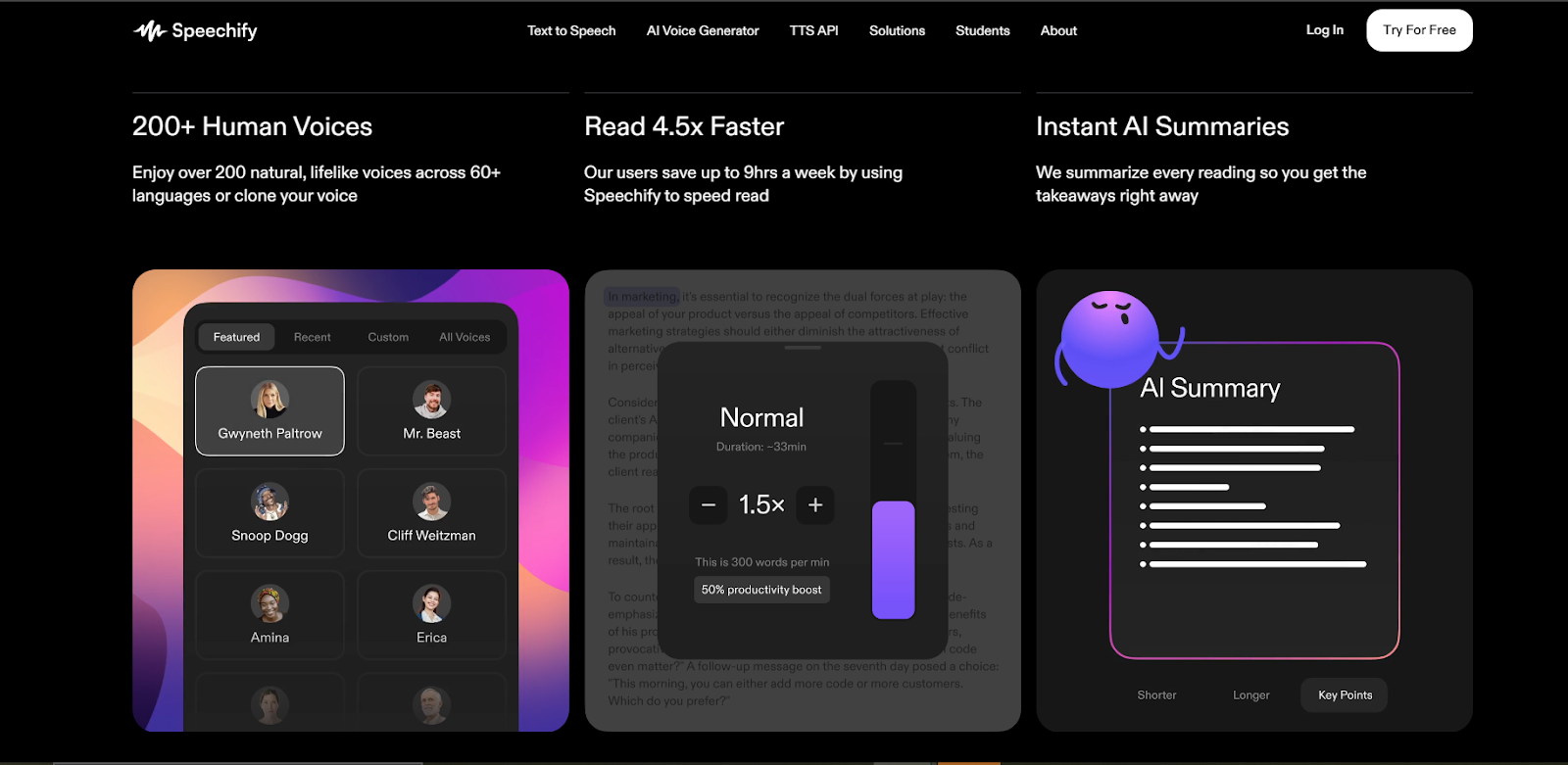
Unlike traditional text-to-speech programs, Speechify uses advanced AI to deliver human-like voices in multiple languages and accents. Its versatility makes it not just an accessibility tool but also a productivity booster for anyone who consumes large volumes of text daily.
Key Features
-
Natural-sounding voices with adjustable speed
-
Multi-platform support: iOS, Android, and web
-
Ability to import PDFs, articles, emails, and web pages
-
Highlighting text as it reads for better comprehension
-
Cloud syncing across devices for seamless access
Many users report that these features make reading less tedious and help them retain information more effectively.
How Speechify Works
Understanding the workflow is essential before diving into user experiences. Here’s a simple breakdown of how Speechify functions:
-
Upload or Import Text: Drag documents, PDFs, or input URLs from articles.
-
Select a Voice: Choose from multiple AI-generated voices. Some premium options offer celebrity-like clarity.
-
Adjust Settings: Set reading speed, tone, and accent preferences.
-
Listen Anywhere: Download audio files or stream directly on your device.
Moreover, Speechify offers text highlighting as it reads, which helps users follow along visually, making it a fantastic tool for both auditory and visual learners.
Real User Experiences
To give you an honest picture, we analyzed feedback from actual users of Speechify across multiple platforms.
Student Perspectives
Many students have praised Speechify for its ability to digest textbooks, study guides, and research papers. One user commented that listening to study material while commuting helped them absorb complex topics faster.
Benefits reported by students:
-
Improved comprehension of dense material
-
Ability to multitask while listening
-
Less eye strain compared to reading screens for hours
Professional Perspectives
Professionals dealing with reports, emails, and market research find Speechify extremely useful for boosting efficiency. By listening to lengthy documents during routine tasks, they can save valuable time and maintain productivity.
Benefits reported by professionals:
-
Faster review of documents
-
Hands-free productivity
-
Enhanced focus during repetitive tasks
Accessibility and Users with Impairments
Speechify has also received acclaim for its accessibility features. Users with dyslexia, visual impairments, or reading difficulties find that Speechify opens up access to content they previously struggled with, leveling the playing field for learning and working.
Pros and Cons of Speechify
No product is perfect, and Speechify is no exception. Here’s an honest look at the strengths and weaknesses:
Pros
-
Natural-sounding AI voices
-
Multi-language and accent options
-
Cross-device synchronization
-
Easy document import and management
-
Highlighting feature improves comprehension
-
Free version available with basic functionality
Cons
-
Premium subscription can be pricey for some users
-
Some voices sound robotic at higher speeds
-
Offline functionality is limited in the free version
-
Complex PDFs with heavy formatting may require manual adjustments
Key Features in Detail
Let’s break down some of the standout Speechify features that users love:
1. High-Quality AI Voices
Speechify’s AI voices are a major selling point. Unlike older text-to-speech tools that sounded robotic, Speechify’s voices are fluid, expressive, and easy to listen to for long periods.
2. Multi-Device Compatibility
Whether on iPhone, Android, or desktop, Speechify keeps your files synced. Users can start listening on one device and continue seamlessly on another, which is ideal for busy lifestyles.
3. Speed and Customization
Users can adjust the reading speed from slow to ultra-fast, making it suitable for both casual listening and speed learning. Additionally, accent and voice choices add a personal touch.
4. Productivity Enhancements
Features like highlighting, bookmarking, and note-taking help learners and professionals retain information more effectively. For example, students can highlight key passages while listening, making review sessions more efficient.
How Speechify Stands Out from Competitors
Many text-to-speech apps exist, but Speechify differentiates itself in several ways:
-
Voice Quality: AI-generated voices are more natural and engaging.
-
User-Friendly Interface: Easy navigation and intuitive controls.
-
Cross-Platform Flexibility: Works seamlessly across devices.
-
Accessibility Focus: Ideal for those with reading difficulties or learning challenges.
Compared to competitors like NaturalReader or Voice Dream, Speechify offers a smoother experience, especially for heavy users who consume long documents regularly.
Tips for Getting the Most Out of Speechify
To maximize the benefits of Speechify, real users suggest the following strategies:
-
Use headphones for better clarity during long listening sessions.
-
Experiment with different voices and speeds to find what suits you best.
-
Break down long documents into sections to avoid fatigue.
-
Sync across devices to continue your reading or learning seamlessly.
-
Take advantage of highlighting features for better retention.
By applying these tips, you can make Speechify a powerful tool for learning, working, or accessibility purposes.
Final Thoughts: Honest Speechify Reviews
After analyzing user feedback, exploring features, and testing the platform, it’s clear that Speechify delivers on its promise of making reading faster, easier, and more accessible. Whether you are a student, professional, or someone with reading difficulties, Speechify provides a practical, user-friendly solution.
The AI voices, multi-device support, and productivity features make it a standout choice in the text-to-speech market. While the premium price may be a consideration, the benefits—especially for heavy users—often outweigh the cost.
If you’ve tried Speechify, share your experience in the comments. Your insights can help others decide whether this AI-powered tool is right for them.